Tunneling on a Vps hosted in the cloud

Hello,
When I try to open a forward tunnel on my Vps in the cloud, it works: ssh -p 22 -i mykey user@vps-public-ip -L 10000:vps-private-ip:80.
Then my local webrowser shows the page on the Vps when typing the address http://localhost:10000
But the reverse version doesn't: ssh -p 22 -i mykey user@vps-public-ip -R 10000:localhost:22
The goal would be to connect to my Pc at home from my workplace for example, or the opposite.
Any idea what goes wrong?
The port 10000 is open in the Networking webpage of the Vps, and in file /etc/ssh/sshd_config both ports 22 and 10000 appear.
Comments
-
I've got a similar issue with Google Cloud Compute (Vps) - I can't figure out why reverse ssh tunnel doesn't work and how to make it work. It's very annoying as it's one of the most useful things. Anyone can help?
0 -
Hi @marcinsdance
Thanks for your support. Finally, I managed to get it work but I'm not sure what was the issue anymore...
If I remember well, the caveats were:- open port 10000 on the cloud firewall
- do NOT listen on port 10000 with sshd
- add GatewayPorts yes in file /etc/ssh/sshd_config
- restart sshd on the Vps
- start sshd locally
- type ssh -v -p some-ssh-open-port -i ~/.ssh/vps-key user-on-the-vps@vps-PUBLIC-ip -R 10000:localhost:22 (here, 22 is on the local computer and 10000 is on the vps) on computer1 with user1
- type ssh -v -p 10000 -i ~/.ssh/vps-key user1-on-computer1@vps-PUBLIC-ip from computer2 with user2
and this should be pretty much it. Let me know if it doesn't work as it's 5mn fresh or so. Here are a bunch of links that helped me:
1

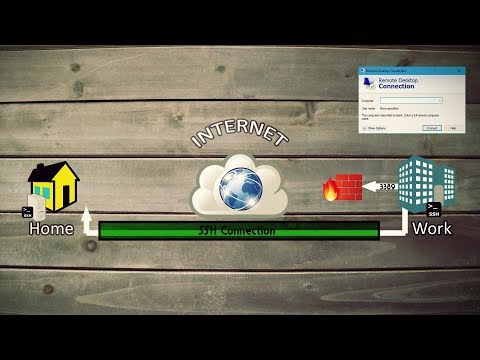 https://www.youtube.com/watch?v=AtuAdk4MwWw
 https://www.youtube.com/watch?v=90d_whwkrNE
Categories
- All Categories
- 179 LFX Mentorship
- 179 LFX Mentorship: Linux Kernel
- 776 Linux Foundation IT Professional Programs
- 384 Cloud Engineer IT Professional Program
- 175 Advanced Cloud Engineer IT Professional Program
- 76 DevOps IT Professional Program - Discontinued
- 7 DevOps & GitOps IT Professional Program
- 103 Cloud Native Developer IT Professional Program
- 7.7K Training Courses & Learning Paths
- 17 AI & ML Training
- 2 Blockchain & Decentralized Identity Training
- 47 Cloud & Containers Training
- 7 Cybersecurity Training
- 4 DevOps & Site-Reliability Training
- 3 Linux Kernel Development Training
- 3 Networking Training
- 2 Open Source Best Practice Training
- 6 System Administration Training
- 1 System Engineering Training
- 6 Web & Application Development Training
- 798 Hardware
- 202 Drivers
- 68 I/O Devices
- 37 Monitors
- 96 Multimedia
- 173 Networking
- 91 Printers & Scanners
- 92 Storage
- 775 Linux Distributions
- 83 Debian
- 68 Fedora
- 24 Linux Mint
- 13 Mageia
- 24 openSUSE
- 151 Red Hat Enterprise
- 32 Slackware
- 13 SUSE Enterprise
- 356 Ubuntu
- 473 Linux System Administration
- 31 Cloud Computing
- 73 Command Line/Scripting
- Github systems admin projects
- 104 Linux Security
- 79 Network Management
- 102 System Management
- 46 Web Management
- 175 Mobile Computing
- 32 Android
- 128 Development
- 1.2K New to Linux
- 1K Getting Started with Linux
- 407 Off Topic
- 128 Introductions
- 35 Study Material
- 1.1K Programming and Development
- 312 Kernel Development
- 730 Software Development
- 1K Software
- 421 Applications
- 183 Command Line
- 5 Compiling/Installing
- 71 Games
- 320 Installation
- Archived
- 183 Small Talk
- 2 LFD140 Class Forum
- 1.4K LFS258 Class Forum
Upcoming Training
-
August 20, 2018
Kubernetes Administration (LFS458)
-
August 20, 2018
Linux System Administration (LFS301)
-
August 27, 2018
Open Source Virtualization (LFS462)
-
August 27, 2018
Linux Kernel Debugging and Security (LFD440)