Which FS format should I use?

Enter a short description...
I bought a 4TB drive to connect to my CPU for backup. Which file system should I format it to? I may want to store large files like distro images and movies as well as full backups of my computer which has many small files.
I also want to store movies from my DVD collection for replay from another computer. FYI--we don't use windows here so am not concerned about being compatible to that OS.
Are there pro's and con's to using exfat? Should I use ext4? Multiple primary partitions? One big one?
Comments
-
 0
0 -
sry I had to remove my other post cuz of my security keys were exposed. Follow my layout and you will never need to worry about space, I promise U this.
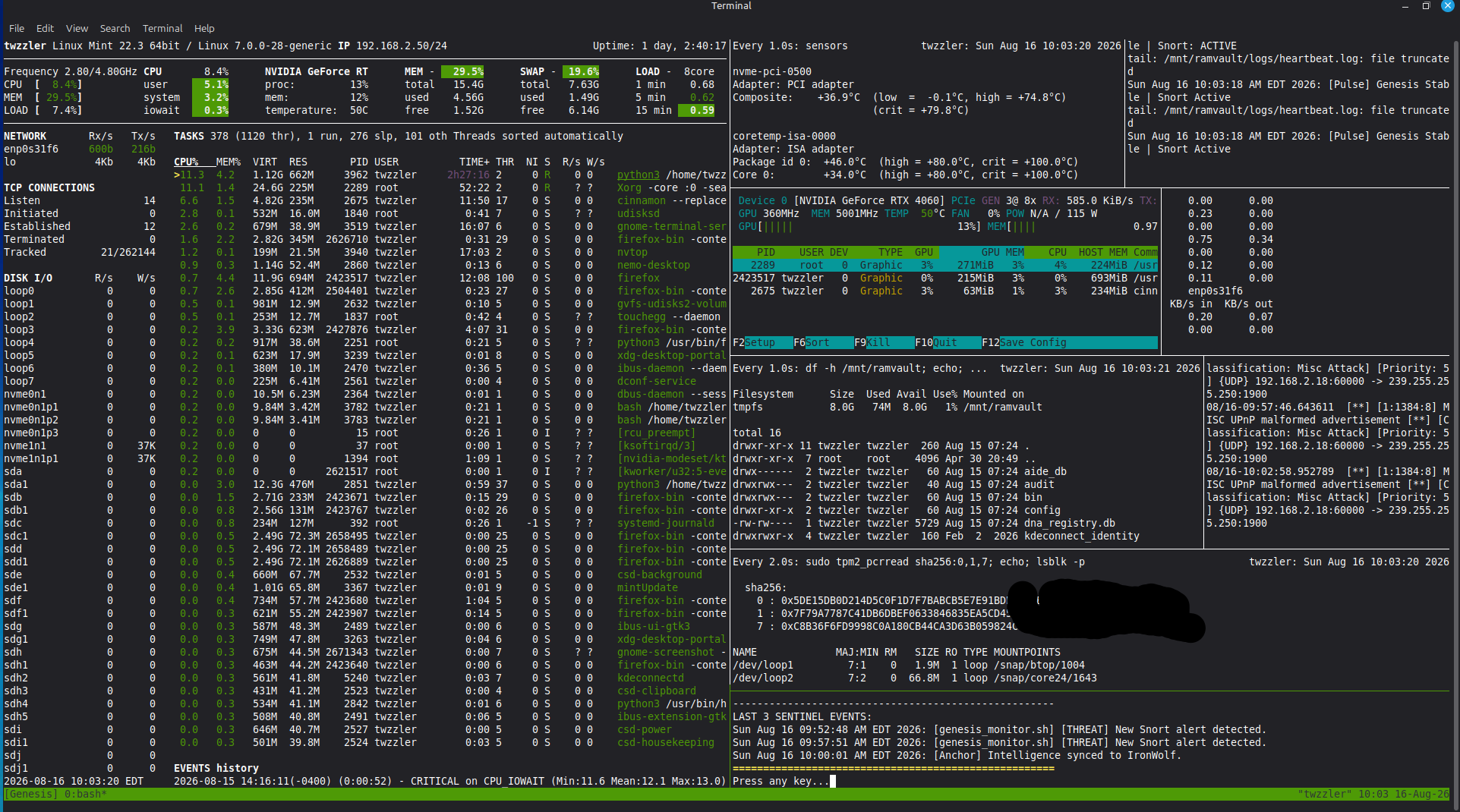
Migrating your core system to an SSD while using your HDD for large directories via bind mounts is the best way to get maximum SSD speed without running out of space.
Here is a live example of how a production Linux setup structures this using dedicated fast drives for OS paths and bind mounts for storage:
1. Core Operating System on SSDs / NVMe
Instead of putting everything on one drive, you put the speed-critical mount points on your high-speed SSDs:
/ (Root): Placed on fast NVMe (/dev/nvme1n1p3).
/boot/efi & Swap: Placed on fast NVMe for instant boot/wake times.
/home: Placed on a secondary SSD (/dev/nvme0n1p1) so application configs load instantly.
/usr & /var: Can even be isolated on their own SSDs (/dev/sdf1 and /dev/sdg1) for heavy binary loading and rapid log writing.
2. Using Bind Mounts for Heavy HDD Storage
Rather than filling up your fast /home drive with big downloads or media, you mount a large HDD (e.g. /dev/sda1) to a base location like /mnt/ironwolf and then bind mount the heavy folders directly into your user home folder.
In /etc/fstab, it looks like this:# 1. Mount the main HDD partition
UUID=b9877b57-3190-4ba6-b12c-dbddb90290cd /mnt/ironwolf ext4 defaults 0 2Bind mount HDD subdirectories directly into your home folder /mnt/ironwolf/Downloads /home/username/Downloads none bind 0 0 /mnt/ironwolf/Documents /home/username/Documents none bind 0 0 /mnt/ironwolf/Pictures /home/username/Pictures none bind 0 0 /mnt/ironwolf/Archive /home/username/Archive none bind 0 0
Why Bind Mounts Beat Standard Symlinks Here:
System Integration: Applications treat bind-mounted directories as real, native local folders rather than shortcuts or soft links. Permission Control: Keeps standard file permissions intact seamlessly across the system. Clean Home Directory: Your fast SSD handles hidden config files (.config, .local), while the big HDD handles heavy file storage transparently.
/etc/fstab: static file system information.
Sanitized configuration template based on a multi-drive system layout.PRIMARY SYSTEM DRIVE (Samsung 960 EVO - NVMe 1)
/ (Root)
UUID=XXXXXXXX-XXXX-XXXX-XXXX-XXXXXXXXXXXX / ext4 errors=remount-ro 0 1/boot/efi (UEFI System Partition)
UUID=XXXX-XXXX /boot/efi vfat umask=0077 0 2High-Speed Swap
UUID=XXXXXXXX-XXXX-XXXX-XXXX-XXXXXXXXXXXX none swap sw 0 0DEDICATED SSD OS PATHS
/home (Intel NVMe 0)
UUID=XXXXXXXX-XXXX-XXXX-XXXX-XXXXXXXXXXXX /home ext4 defaults 0 2/usr (Kingston SSD)
UUID=XXXXXXXX-XXXX-XXXX-XXXX-XXXXXXXXXXXX /usr ext4 defaults 0 2/var (WD Blue SSD)
UUID=XXXXXXXX-XXXX-XXXX-XXXX-XXXXXXXXXXXX /var ext4 defaults 0 2HEAVY STORAGE & BIND MOUNTS (Seagate IronWolf 3.6T HDD)
Primary HDD Mount Point
UUID=XXXXXXXX-XXXX-XXXX-XXXX-XXXXXXXXXXXX /mnt/ironwolf ext4 defaults 0 2Bind mounts into Home Directory
/mnt/ironwolf/Desktop /home/twzzler/Desktop none bind 0 0
/mnt/ironwolf/Documents /home/twzzler/Documents none bind 0 0
/mnt/ironwolf/Downloads /home/twzzler/Downloads none bind 0 0
/mnt/ironwolf/Music /home/twzzler/Music none bind 0 0
/mnt/ironwolf/Pictures /home/twzzler/Pictures none bind 0 0
/mnt/ironwolf/Archive /home/twzzler/Archive none bind 0 0
/mnt/ironwolf/Full_Archive /home/twzzler/Full_Archive none bind 0 0UTILITY & BACKUP DRIVES (Optional / As Needed)
Timeshift Snapshots Drive (WD 1TB)
UUID=XXXXXXXX-XXXX-XXXX-XXXX-XXXXXXXXXXXX /run/timeshift/backup ext4 defaults 0 2Secondary Backup Drive (Hitachi 1TB)
UUID=XXXXXXXX-XXXX-XXXX-XXXX-XXXXXXXXXXXX /mnt/backup ext4 defaults 0 20

Categories
- All Categories
- 178 LFX Mentorship
- 178 LFX Mentorship: Linux Kernel
- 775 Linux Foundation IT Professional Programs
- 384 Cloud Engineer IT Professional Program
- 175 Advanced Cloud Engineer IT Professional Program
- 75 DevOps IT Professional Program - Discontinued
- 7 DevOps & GitOps IT Professional Program
- 103 Cloud Native Developer IT Professional Program
- 7.6K Training Courses & Learning Paths
- 12 AI & ML Training
- 1 Blockchain & Decentralized Identity Training
- 32 Cloud & Containers Training
- 3 Cybersecurity Training
- 3 DevOps & Site-Reliability Training
- 1 Linux Kernel Development Training
- 2 Networking Training
- 2 Open Source Best Practice Training
- 5 System Administration Training
- 1 System Engineering Training
- 6 Web & Application Development Training
- 798 Hardware
- 202 Drivers
- 68 I/O Devices
- 37 Monitors
- 96 Multimedia
- 173 Networking
- 91 Printers & Scanners
- 92 Storage
- 772 Linux Distributions
- 81 Debian
- 68 Fedora
- 24 Linux Mint
- 13 Mageia
- 24 openSUSE
- 151 Red Hat Enterprise
- 31 Slackware
- 13 SUSE Enterprise
- 356 Ubuntu
- 469 Linux System Administration
- 31 Cloud Computing
- 73 Command Line/Scripting
- Github systems admin projects
- 101 Linux Security
- 79 Network Management
- 101 System Management
- 46 Web Management
- 165 Mobile Computing
- 32 Android
- 118 Development
- 1.2K New to Linux
- 1K Getting Started with Linux
- 407 Off Topic
- 128 Introductions
- 35 Study Material
- 1K Programming and Development
- 310 Kernel Development
- 720 Software Development
- 1K Software
- 418 Applications
- 182 Command Line
- 5 Compiling/Installing
- 71 Games
- 320 Installation
- Archived
- 183 Small Talk
- 2 LFD140 Class Forum
- 1.4K LFS258 Class Forum
Upcoming Training
-
August 20, 2018
Kubernetes Administration (LFS458)
-
August 20, 2018
Linux System Administration (LFS301)
-
August 27, 2018
Open Source Virtualization (LFS462)
-
August 27, 2018
Linux Kernel Debugging and Security (LFD440)