Exercise 21.2: Mounting Options,kernelcrash

Hi Luis,
As in the exercise above, i tried to follow the steps precisely but the kernel crashed two times when rebooting, how can i avoid that?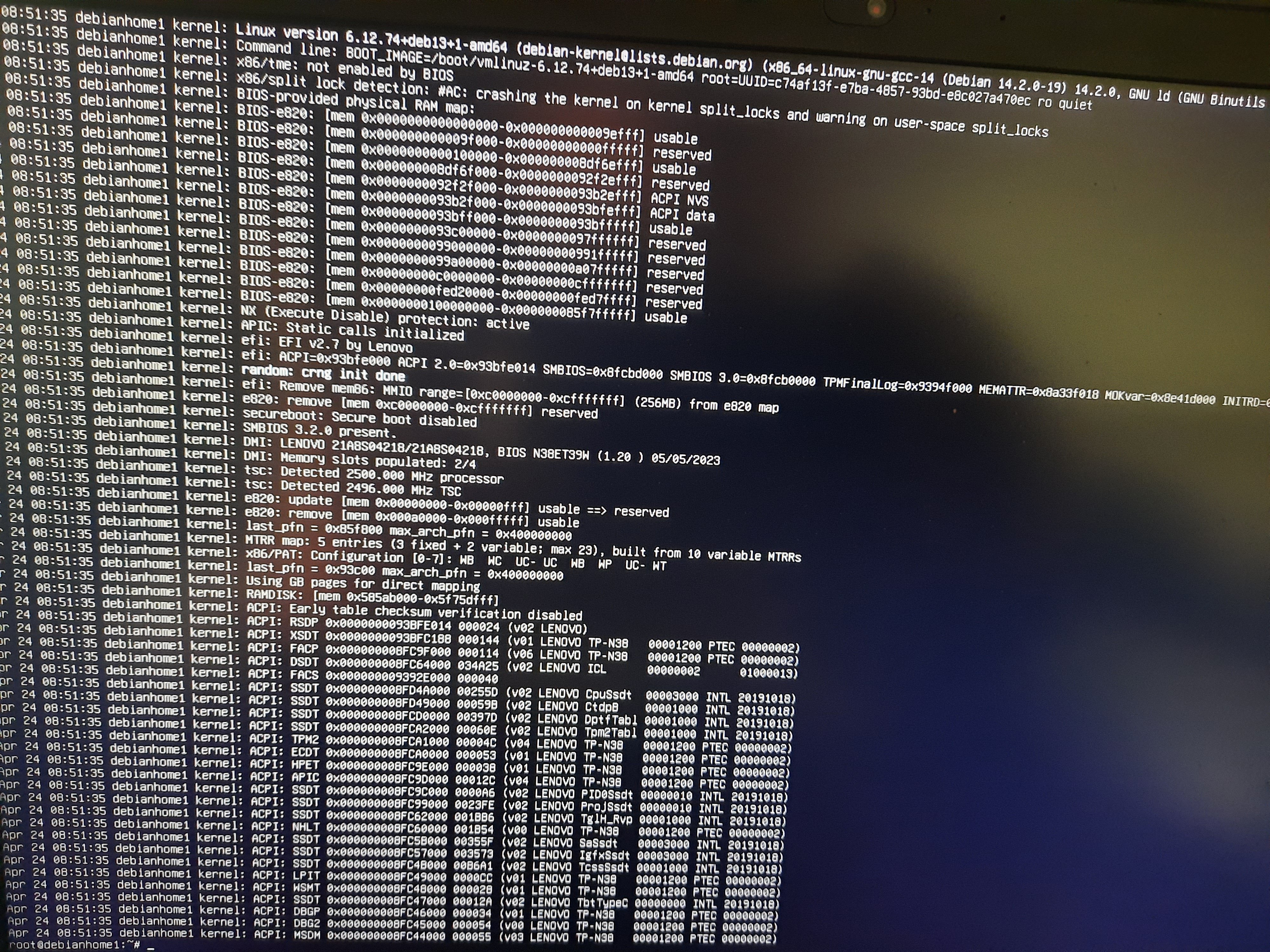
Thanks and best regards
berni
Best Answers
-
Hi Berni,
1.- What hardware are you working with? I mean brand and model, please. So we could look to somethings in the BIOS, like the following:
i.- CPU / Split Lock Detection / change it to disabled (if your BIOS has that parameter).
ii.- Security / Secure Boot / change it to disabled.2.- You are working on a bare metal laptop, not in a VM, right?
3.- You can do the modification of the linux line boot "on the fly" for just testing purposes, which will work once, and if it works you can do it permanently.
i.- To test it once:
a.- In the GRUB boot menu, select the kernel and press the 'e' key to edit it.
b.- Find the line that begins with 'linux'. It usually ends with parameters like 'quiet' or 'ro'.
c.- At the end of that same line, add a space and type: split_lock_detect=warn
d.- Press Ctrl+X or F10 to boot with this parameter.
4.- If that works -i.e. prevents the kernel crash, you can put it in the grub configuration as follows:
i.- Edit the configuration file: sudo nano /etc/default/grub
ii.- Find the line: GRUB_CMDLINE_LINUX_DEFAULT="quiet splash" (the parameters may vary).
iii.- Add the parameter within the quotation marks: GRUB_CMDLINE_LINUX_DEFAULT="quiet splash split_lock_detect=warn"
iv.- Save the file and update the boot menu with: sudo update-grub
v.- Reboot and try the lab.
Regards,
Luis.0 -
Hi Berni,
how do you do ....Edit the linux line in the boot and add the following at the end:
split_lock_detect=warn ??? ....but this is how i learn and progress=)https://help.ubuntu.com/community/Grub2/Troubleshooting
Section 'Editing the GRUB 2 Menu During Boot'.
So you will find the exact steps to edit the boot line in a temporary way, just to see if it works. And if it does, then you can modify the Grub configuration.
Regards,
Luis.0

Answers
-
Hello @austrianadmin,
What course are you enrolled in?
From the looks of it you posted this in a forum that may not be monitored by the intended instructor.
I can move this where it needs to be if you can confirm the course by number and/or name.Regards,
-Chris0 -
Hello Chris,
it was from the Linux System Administration Essentials (LFS207) Course, thank you!
regards
berni
0 -
This post has been moved to the correct forum.
0 -
Hi Berni,
1.- What OS and version are you running? Is it Debian testing, right?
2.- Did this happen just after you configured NBD on Lab 21.3?
3.- Edit the linux line in the boot and add the following at the end:
split_lock_detect=warn
And boot. Let's see if the OS can boot normally with that modification.
Regards,
Luis.0 -
Hi Luis,
@1 yes it is debian 13
@2 no because before i did Lab 21.1
@i installed the system again, now i try such things only in boxen....did that with the VM Alma Linux 10 and after reboot the kernel cras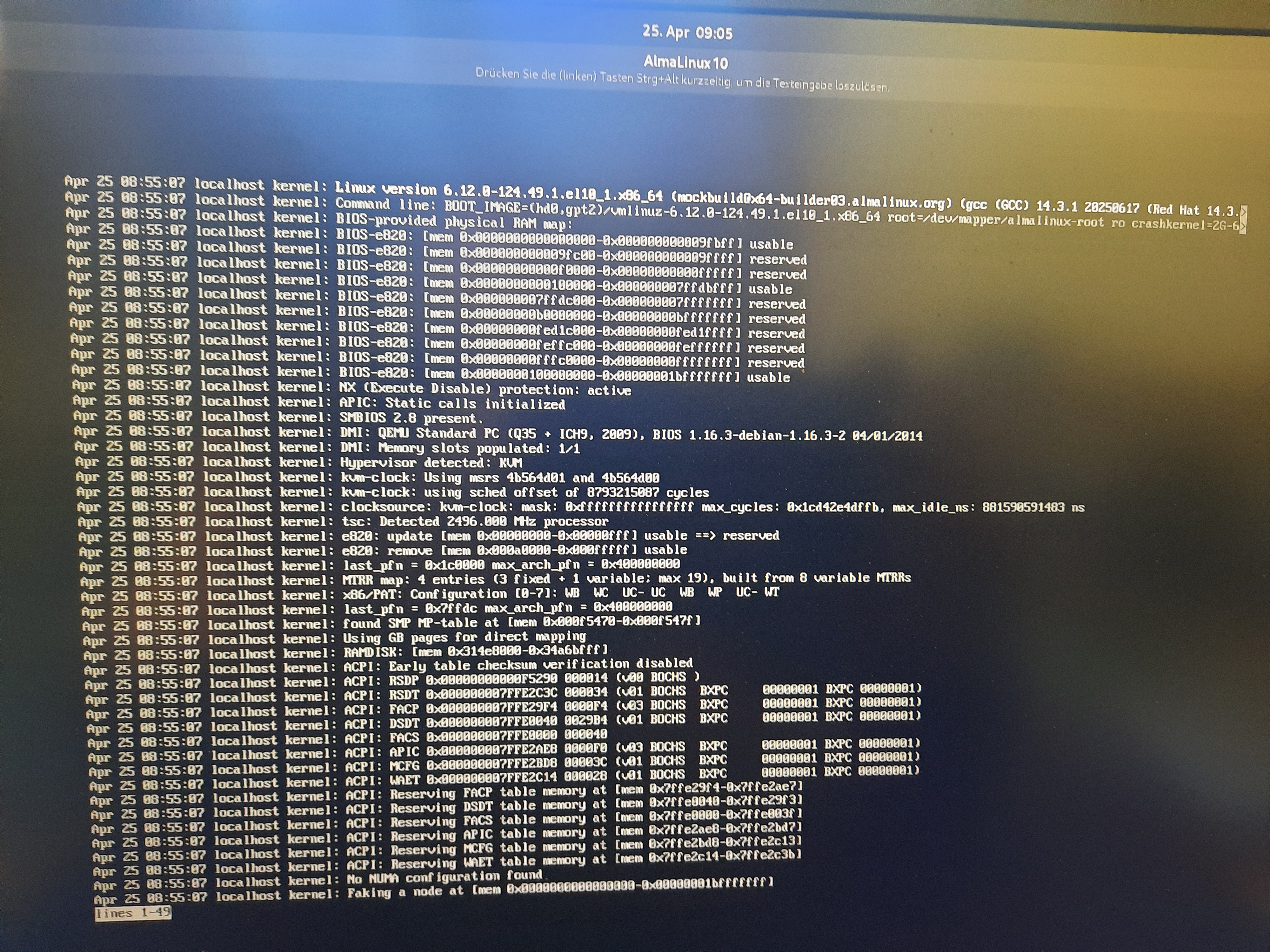 shed again...so in the exercise 21.2 i only get to ..
- $ sudo fdisk /dev/sda...the i type n for new ...create the 250mb... write it out with w....then run partprobe -s..... then reboot anb boom the third time crashed.....just in case i try a fourth time.....how do you do ....Edit the linux line in the boot and add the following at the end:
split_lock_detect=warn ??? ....but this is how i learn and progress=)
regards
berni
0 - $ sudo fdisk /dev/sda...the i type n for new ...create the 250mb... write it out with w....then run partprobe -s..... then reboot anb boom the third time crashed.....just in case i try a fourth time.....how do you do ....Edit the linux line in the boot and add the following at the end:
-
Hi Luis,
# System Details Report
Report details
- Date generated: 2026-04-26 17:14:45
Hardware Information:
- Hardware Model: Lenovo ThinkPad T15p Gen 2i
- Memory: 32.0 GiB
- Processor: 11th Gen Intel® Core™ i7-11850H × 16
- Graphics: Intel® UHD Graphics (TGL GT1)
- Graphics 1: NV167
- Disk Capacity: (null)
Software Information:
- Firmware Version: N38ET39W (1.20 )
- OS Name: Debian GNU/Linux 13 (trixie)
- OS Build: (null)
- OS Type: 64-bit
- GNOME Version: 48
- Windowing System: Wayland
- Kernel Version: Linux 6.12.74+deb13+1-amd64
that is the system i crashed, from now on i use the VM for such exercises, but i want to progress and will try your supportsteps...thanks a lot!
regards
berni
0 -
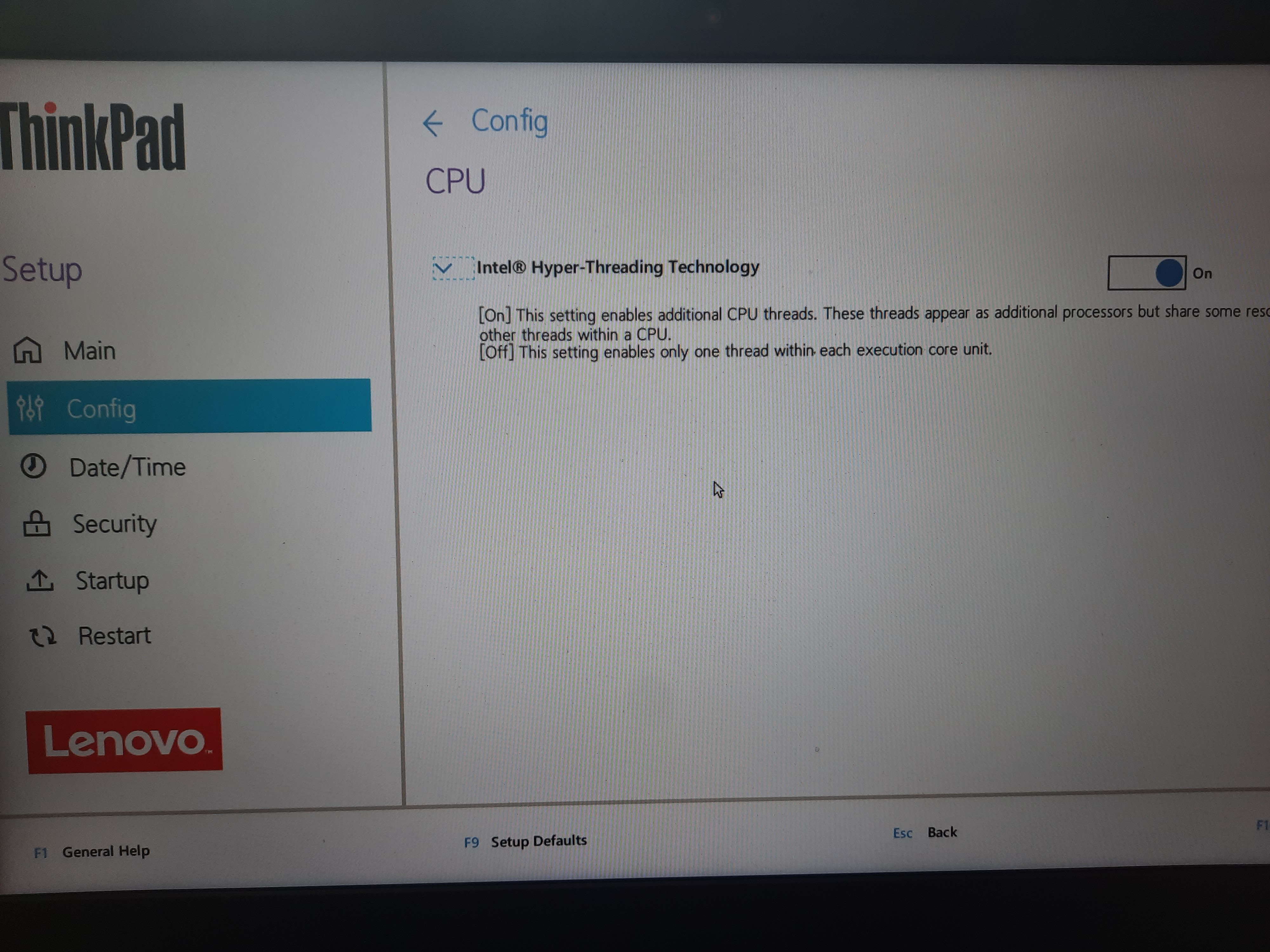
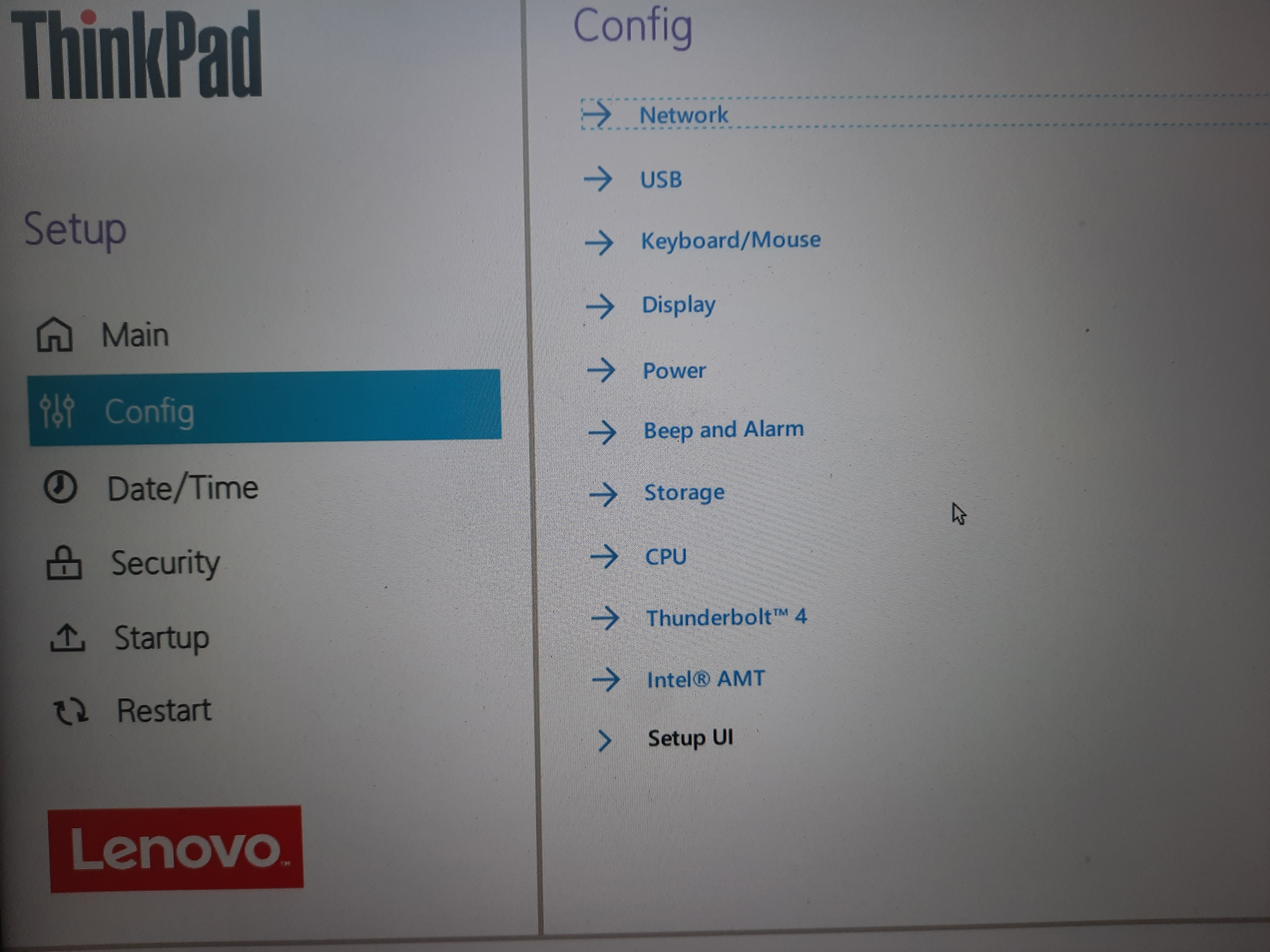
i.- CPU / Split Lock Detection / change it to disabled (if your BIOS has that parameter). NO
ii.- Security / Secure Boot / change it to disabled. Yesa.- In the GRUB boot menu, select the kernel and press the 'e' key to edit it.
@a..how can i do that in the menu shown in the photo above?
would love to follow the steps but not even get a done....thanks for your help
regards
berni
0


Categories
- All Categories
- 179 LFX Mentorship
- 179 LFX Mentorship: Linux Kernel
- 776 Linux Foundation IT Professional Programs
- 384 Cloud Engineer IT Professional Program
- 175 Advanced Cloud Engineer IT Professional Program
- 76 DevOps IT Professional Program - Discontinued
- 7 DevOps & GitOps IT Professional Program
- 103 Cloud Native Developer IT Professional Program
- 7.7K Training Courses & Learning Paths
- 17 AI & ML Training
- 2 Blockchain & Decentralized Identity Training
- 44 Cloud & Containers Training
- 7 Cybersecurity Training
- 4 DevOps & Site-Reliability Training
- 3 Linux Kernel Development Training
- 2 Networking Training
- 2 Open Source Best Practice Training
- 6 System Administration Training
- 1 System Engineering Training
- 6 Web & Application Development Training
- 798 Hardware
- 202 Drivers
- 68 I/O Devices
- 37 Monitors
- 96 Multimedia
- 173 Networking
- 91 Printers & Scanners
- 92 Storage
- 774 Linux Distributions
- 82 Debian
- 68 Fedora
- 24 Linux Mint
- 13 Mageia
- 24 openSUSE
- 151 Red Hat Enterprise
- 32 Slackware
- 13 SUSE Enterprise
- 356 Ubuntu
- 473 Linux System Administration
- 31 Cloud Computing
- 73 Command Line/Scripting
- Github systems admin projects
- 104 Linux Security
- 79 Network Management
- 102 System Management
- 46 Web Management
- 174 Mobile Computing
- 32 Android
- 127 Development
- 1.2K New to Linux
- 1K Getting Started with Linux
- 407 Off Topic
- 128 Introductions
- 35 Study Material
- 1.1K Programming and Development
- 312 Kernel Development
- 729 Software Development
- 1K Software
- 421 Applications
- 183 Command Line
- 5 Compiling/Installing
- 71 Games
- 320 Installation
- Archived
- 183 Small Talk
- 2 LFD140 Class Forum
- 1.4K LFS258 Class Forum
Upcoming Training
-
August 20, 2018
Kubernetes Administration (LFS458)
-
August 20, 2018
Linux System Administration (LFS301)
-
August 27, 2018
Open Source Virtualization (LFS462)
-
August 27, 2018
Linux Kernel Debugging and Security (LFD440)