Lab 3.2 Reboot error, cannot to kube-apiserver, retried from scratch and getting same error

So this is the second time I ran into this issue. Yesterday I ran into this issue and tried to trouble shoot it for next few hours but could not get it to work. Yes I already checked the discussion board and there was no solution.
So I tried the solution to delete the VM and start from scratch since I read it worked for some other students. However I am running into the same issue once again.
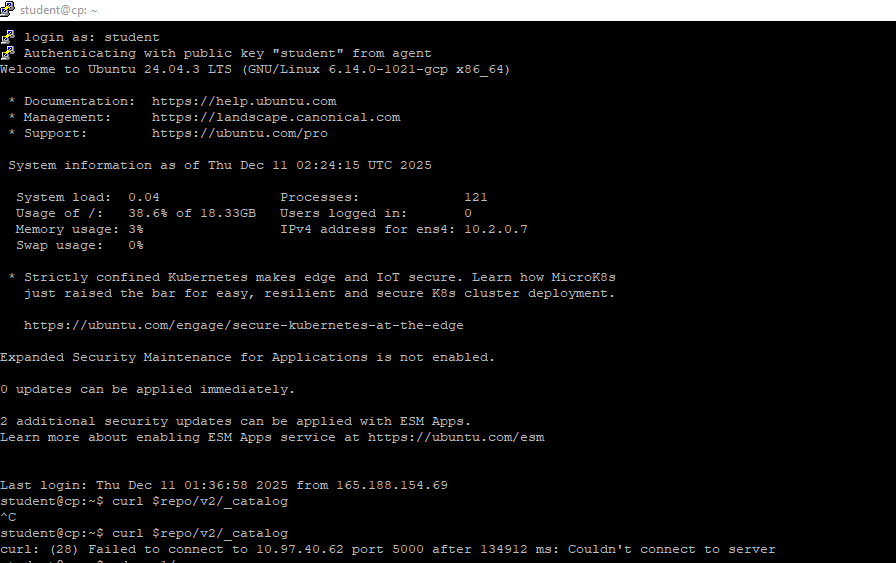
"curl: (28) Failed to connect to 10.97.40.62 port 5000 after 134912 ms: Couldn't connect to server"
or
"The connection to the server 10.2.0.7:6443 was refused - did you specify the right host or port?"
Note, for my VM I had to use Ubuntu 24.04 LTS since 20.04 is not available anymore will this cause a problem?
I have checked and Kubernetes API Server is not running after Reboot.
Best Answers
-
Hello @chrispokorni,
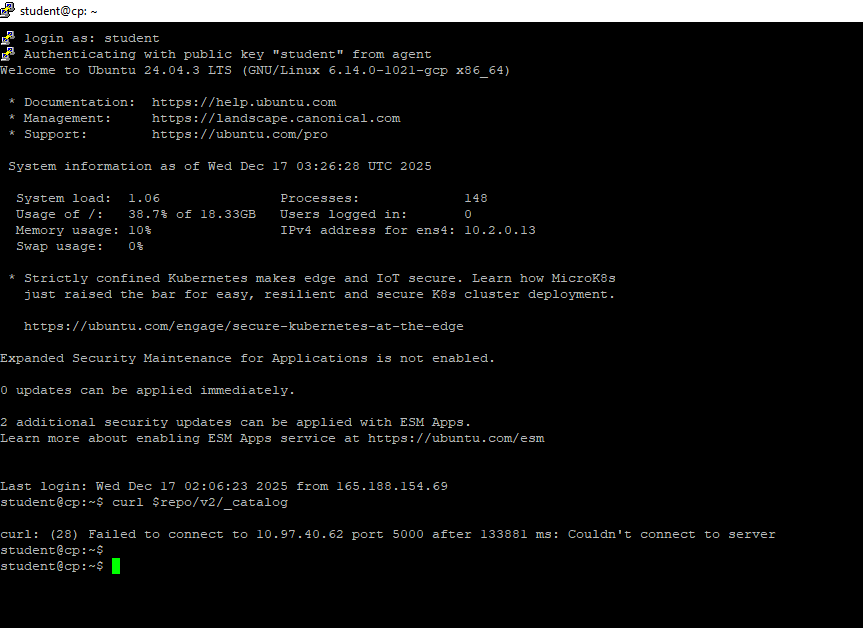
I tried you suggestion. Deleted my VM and created with Ubuntu 24.04 LTS. Than followed the labs until LAB 3.2 Step 4. I completed the step but before I continues to step 5. I followed your steps on both cp and worker. But after reaching to sudo reboot. Its giving me the same following error.
I believe I have edited the "config.toml" file appropriately
 0
0 -
Many thanks for the support @chrispokorni . The provided steps worked for me. I first ran the
local-repo-setup.shscript on the control-plane, did all the additional steps there and then did the same on the worker node. I didn't do a reboot though.@kenneth.kon001 can you check the health of your cluster on the cp with
kubectl get nodes?0

Answers
-
Hi @kenneth.kon001,
With Ubuntu 24.04 being the recommended guest OS for the lab environment (per Exercise 2.1: Overview and Preliminaries), I don't see the benefit of using an earlier release such as 20.04.
According to Step 11 of Lab 3.2, the repository service may take a few minutes to become available after the reboot, as all Kubernetes resources need to initialize and the repository components needs to launch as well. If not available after a few minutes, Step 11 also recommends checking
.bashrcfor theexport repo=10.97.40.62:5000instruction. If the instruction is there, you can simply source.bashrcto set and export the environment variable:source $HOME/.bashrcIf this does not resolve your issue, check
/etc/containerd/config.tomlfor the following entries:[plugins."io.containerd.cri.v1.images".registry.mirrors."*"] endpoint = ["http://10.97.40.62:5000"]
If your entries are different or missing, please update accordingly, then restart the
containerdservice:sudo systemctl daemon-reload sudo systemctl restart containerd
If attempting to provision a new lab environment and bootstrap a new Kubernetes cluster, I recommend downloading once again the
SOLUTIONStarball to ensure it includes the latest relevant configuration for thecontainerdruntime.Regards,
-Chris0 -
So first I tried checking ".bashrc" file and at the end of the file it has these two line of code.
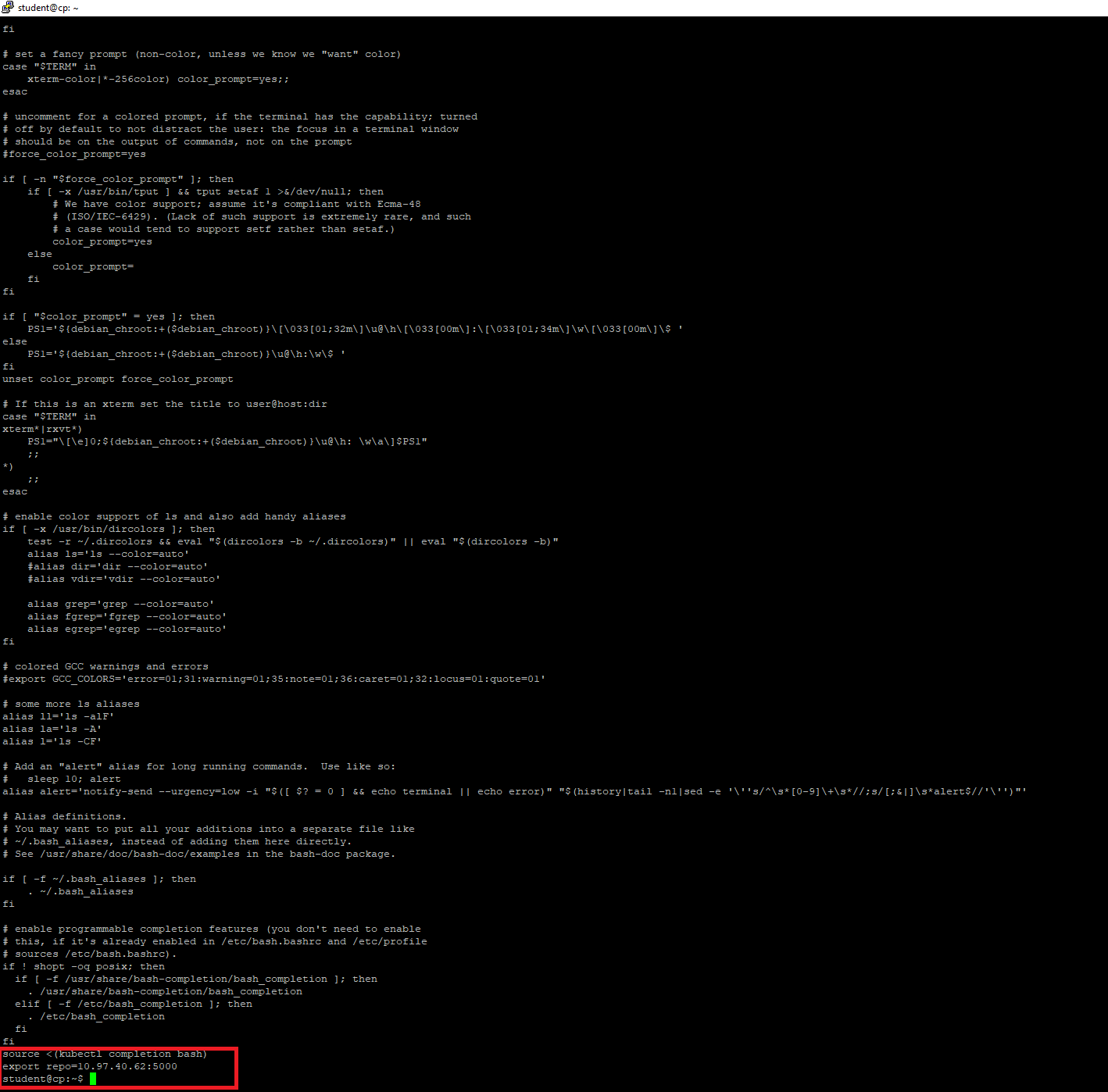
I also searched for config.toml but the only location I can find that is in the s_03 folder it seems.
Output:
student@cp:~$ find $HOME -name config.toml
/home/student/LFD259/SOLUTIONS/s_03/config.tomlAre either of this a problem?
0 -
Hi @kenneth.kon001,
Your
findcommand is restricted only to subdirectories of$HOME, an alias to/home/student, completely disregarding other possible ocurences of theconfig.tomlfile on the rest of the file system.I also searched for config.toml but the only location I can find that is in the s_03 folder it seems.
I find it strange that the
exportandechoinstructions found towards the end of thelocal-repo-setup.shshell script executed successfully yet theconfig.tomlhas not been created in/etc/containerd/after the containerd configuration executed by the same shell script. Did you encounter any errors when executing the sequence of instructions from Step 4 of Lab exercise 3.2?Are either of this a problem?
Yes. The local image registry will not operate as expected if the shell script does not complete successfully in its entirety.
Regards,
-Chris0 -
I dont believe I ran into any errors following Step 4 of Lab Exercise 3.2. I believe the config.toml was never created and only one that exist is in the project folder itself.
Are these source and echo command at the end of .bashrc not suppose to be there?
At this point it seems like I need to delete the VM again and try it from scratch the third time?
0 -
Good evening,
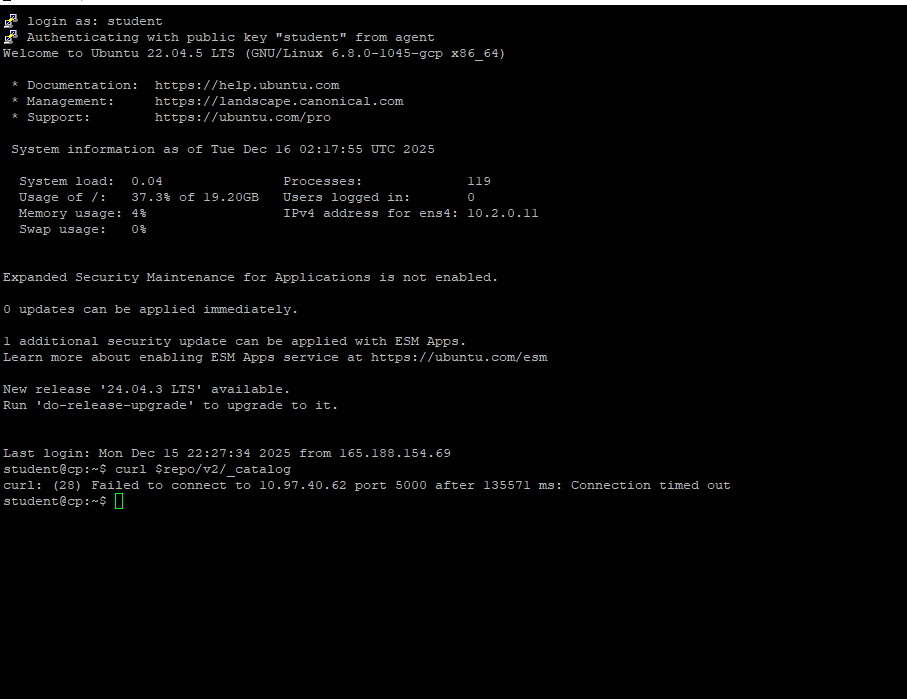
So I tried to do this 3rd time and I am still getting the same issue. First I thought is the Kubernetes api not installing properly in Lab 2.2 step 6. However after installing kubernetes in cp. I tried "Sudo Reboot" and it worked. However after following the lab steps again and got to "sudo reboot" in Lab 3.2 step 6. I am running into same issue. It seems that Kubernetes didn't run properly again after the reboot. I am just not sure what I am doing wrong.Just to make sure "Ubuntu 22.04.5 LTS" is alright here?
I checked .bashrc file and it looks fine too so.

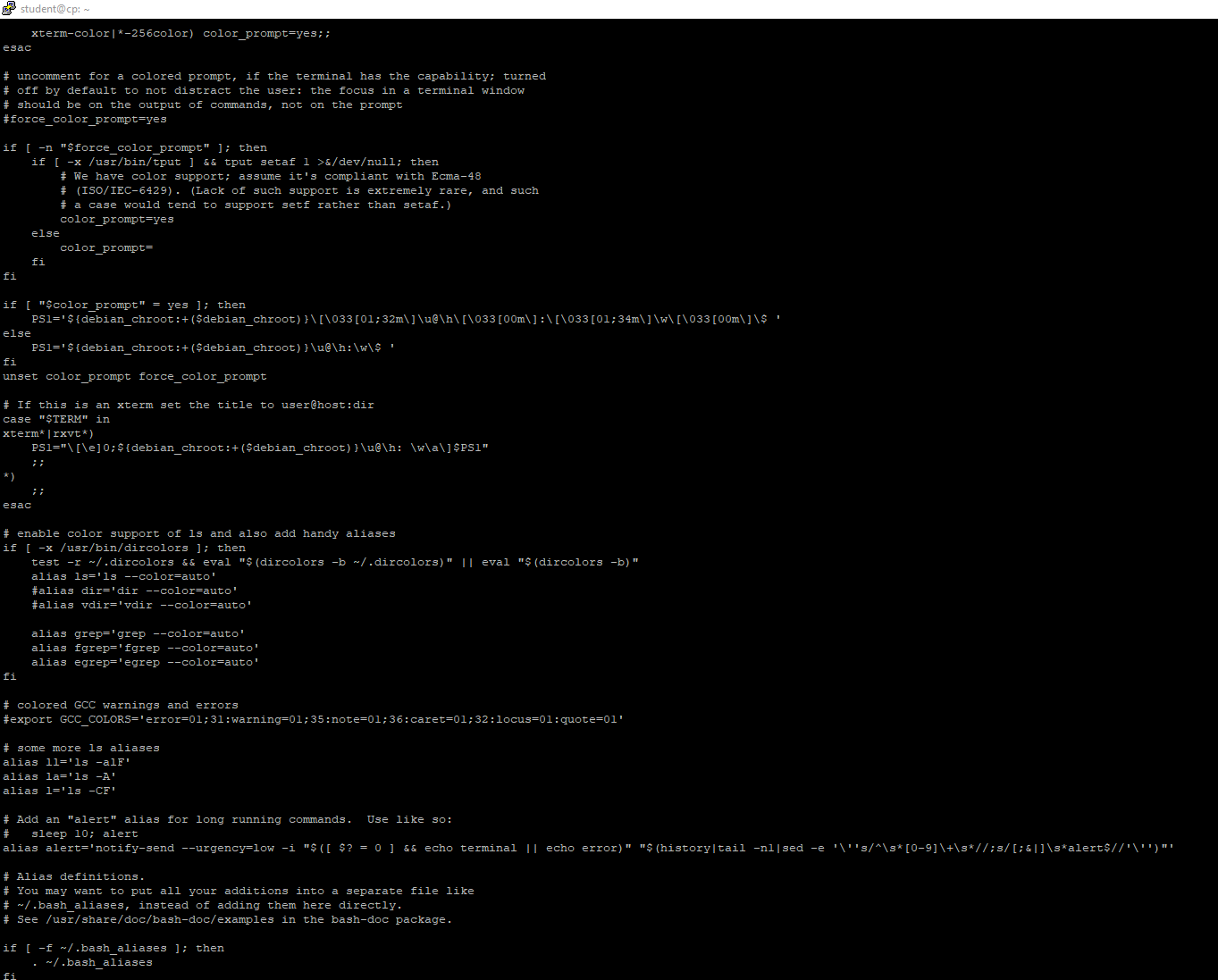 0
0 -
@chrispokorni I am also seeing exactly the same problem after rebooting the virtual machines in Lab 3.2 Step 10.
The problem is not that the registry does not start, the problem is that the kubelet.service is not starting on either the worker or controller nodes.
from my journalctl
`Dec 16 13:41:33 control kubelet[2320]: Flag --pod-infra-container-image has been deprecated, will be removed in 1.35. Image garbage collector will get sandbox image information from CRI.
Dec 16 13:41:33 control kubelet[2320]: I1216 13:41:33.561187 2320 server.go:213] "--pod-infra-container-image will not be pruned by the image garbage collector in kubelet and should also be set in the remote runtime"
Dec 16 13:41:33 control kubelet[2320]: I1216 13:41:33.565144 2320 server.go:529] "Kubelet version" kubeletVersion="v1.34.1"
Dec 16 13:41:33 control kubelet[2320]: I1216 13:41:33.565174 2320 server.go:531] "Golang settings" GOGC="" GOMAXPROCS="" GOTRACEBACK=""
Dec 16 13:41:33 control kubelet[2320]: I1216 13:41:33.565189 2320 watchdog_linux.go:95] "Systemd watchdog is not enabled"
Dec 16 13:41:33 control kubelet[2320]: I1216 13:41:33.565195 2320 watchdog_linux.go:137] "Systemd watchdog is not enabled or the interval is invalid, so health checking will not be started."
Dec 16 13:41:33 control kubelet[2320]: I1216 13:41:33.565301 2320 server.go:956] "Client rotation is on, will bootstrap in background"
Dec 16 13:41:33 control kubelet[2320]: I1216 13:41:33.565902 2320 certificate_store.go:147] "Loading cert/key pair from a file" filePath="/var/lib/kubelet/pki/kubelet-client-current.pem"
Dec 16 13:41:33 control kubelet[2320]: I1216 13:41:33.567016 2320 dynamic_cafile_content.go:161] "Starting controller" name="client-ca-bundle::/etc/kubernetes/pki/ca.crt"
Dec 16 13:41:33 control kubelet[2320]: E1216 13:41:33.567833 2320 run.go:72] "command failed" err="failed to run Kubelet: validate service connection: validate CRI v1 runtime API for endpoint \"unix:///var/run/containerd/containerd.sock\": rpc error: code = Unimplemented desc = unknown service runtime.v1.RuntimeService"
Dec 16 13:41:33 control systemd[1]: kubelet.service: Main process exited, code=exited, status=1/FAILURE
░░ Subject: Unit process exited
░░ Defined-By: systemd
░░ Support: http://www.ubuntu.com/support
░░
░░ An ExecStart= process belonging to unit kubelet.service has exited.
░░
░░ The process' exit code is 'exited' and its exit status is 1.Dec 16 13:41:33 control systemd[1]: kubelet.service: Failed with result 'exit-code'.
`0 -
Hi @kenneth.kon001 I had the exact same issue today and I'm still having issues. After the reboot in Lab 3.2, Kubernetes wasn't working anymore. The issue was that the kubelet service wasn't able to start.
Runningsudo journalctl -u kubelet -fshowed an error like this:validate CRI v1 runtime API for endpoint "unix:///var/run/containerd/containerd.sock": rpc error: code = Unimplemented desc = unknown service runtime.v1.RuntimeServiceAfter hours of debugging I found out that current version
2.2.0of containerd potentially has a bug:- https://github.com/containerd/containerd/issues/12636
- https://github.com/containerd/containerd/issues/12612
So I removed containerd, installed version
2.1.5and re-created the containerd config.I ran something like the following:
sudo systemctl stop containerd sudo apt remove -y containerd.io containerd wget https://github.com/containerd/containerd/releases/download/v2.1.5/containerd-2.1.5-linux-amd64.tar.gz sudo tar -C /usr/local -xzf containerd-2.1.5-linux-amd64.tar.gz sudo wget https://raw.githubusercontent.com/containerd/containerd/main/containerd.service -O /etc/systemd/system/containerd.service sudo systemctl daemon-reload sudo systemctl enable containerd sudo systemctl start containerd sudo containerd config default | sudo tee /etc/containerd/config.toml sudo sed -i 's/SystemdCgroup = false/SystemdCgroup = true/' /etc/containerd/config.toml
And then I manually added the following in the correct place nested under
[plugins.'io.containerd.cri.v1.images'.registry]in the/etc/containerd/config.toml.[plugins.'io.containerd.cri.v1.images'.registry] config_path = '' [plugins.'io.containerd.cri.v1.images'.registry.mirrors.'*'] endpoint = ['http://10.97.40.62:5000']And then restart containerd:
sudo systemctl restart containerdAfter doing this for both control plane and worker it first seemed to have worked but now when I check the logs for kubelet on worker or control-plane I see this:
Dec 16 14:49:25 control-plane.us-central1-a.c.core-trees-481307-n8.internal kubelet[4875]: E1216 14:49:25.079840 4875 reconstruct.go:189] "Failed to get Node status to reconstruct device paths" err="nodes \"control-plane.us-central1-a.c.core-trees-481307-n8.internal\" is forbidden: User \"system:node:control-plane\" cannot get resource \"nodes\" in API group \"\" at the cluster scope: node 'control-plane' cannot read 'control-plane.us-central1-a.c.core-trees-481307-n8.internal', only its own Node object"
And both nodes show as "NotReady"
kubectl get nodes NAME STATUS ROLES AGE VERSION control-plane NotReady control-plane 25h v1.34.1 worker NotReady <none> 25h v1.34.1
I tried restarting everything multiple times without any success.
0 -
Hi @kenneth.kon001,
I would encourage you to follow the lab guide and keep your VMs on the recommended guest OS release - Ubuntu 24.04 LTS.
The latest output does not show the desired entries in the screenshot of what appears to be.bashrc. Have all installation and configuration steps successfully completed between Lab 2 and Lab 3?I will investigate this further on two GCE instances of type e2-standard-2, Ubuntu 24.04 LTS amd64, 20 GB disk, and a firewall rule allowing all inbound traffic - all protocols from all sources to all port destinations.
Regards,
-Chris0 -
Hi @pcarr3,
As I investigate this behavior, please share details about your setup. What type of infrastructure hosts your lab VMs? What cloud or local hypervisor, what are the sizes of your VMs (CPU, RAM, disk), what guest OS, inbound firewall rule allowing all traffic?
Regards,
-Chris0 -
Thanks for chiming in, I will try deleting the VM once again and install 24.04 LTS following the steps. I know I previously did but 4th time around I accidently selected Ubuntu 22.04 LTS. Will let you two know how that goes.
Hello @chrispokorni,
I believe I followed all necessary installation in both lab 2 and 3. This time around I just skipped over other instruction that didnt require installation. Thank you. I will try one more time with correct OS release.
Regards,
Kenneth Kon0 -
Hi @kenneth.kon001, @pcarr3, @haeniya,
Thank you for all the details you provided from your systems.
Also appreciating your patience while I investigated the issue.Since containerd v2 was released several configuration options have changed. We caught some, fixed them in the lab guide and SOLUTIONS scripts, but now additional changes are required. Until our course maintainer will merge these changes into the course and publish a new release, please use the solution below to fix the containerd behavior after the reboot.
After the completion of the local-repo-setup.sh script, perform the following config steps.
- Backup your current containerd config file:
sudo cp /etc/containerd/config.toml /etc/containerd/config.toml-backup
- Reset the containerd config file:
sudo containerd config default | sudo tee /etc/containerd/config.toml sudo sed -e 's/SystemdCgroup = false/SystemdCgroup = true/g' -i /etc/containerd/config.toml
- Edit the new containerd config file. Use the LINE number references to locate existing entries. LINE 54 needs to be modified. LINEs 56 57 58 are new entries. Ensure proper indentation for the new entries. For reference LINE 38 is not indented, LINE 39 indented 2 spaces, LINE 53 indented 4 spaces, LINE 54 indented 6 spaces, LINE 56 indented 6 spaces, LINE 57 indented 8 spaces, LINE 58 indented 10 spaces.
sudo vim /etc/containerd/config.toml
<file content truncated> ... [plugins] # LINE 38 [plugins.'io.containerd.cri.v1.images'] # LINE 39 ... [plugins.'io.containerd.cri.v1.images'.registry] # LINE 53 config_path = '' # LINE 54 - REMOVE VALUE OF CONFIG PATH [plugins.'io.containerd.cri.v1.images'.registry.mirrors] # LINE 56 - ADD THIS LINE [plugins.'io.containerd.cri.v1.images'.registry.mirrors.'*'] # LINE 57 - ADD THIS LINE endpoint = ['http://10.97.40.62:5000'] # LINE 58 - ADD THIS LINE [plugins.'io.containerd.cri.v1.images'.image_decryption] key_model = 'node' ...- Reload daemon and restart containerd service:
sudo systemctl daemon-reload
sudo systemctl restart containerd
These steps need to be executed on both nodes. Start with the
cpnode, then complete them on theworkernode. From here on, the upcoming steps from the lab guide should work, even after a new reboot.Otherwise, the recommendation to closely follow the lab guide, still stands.
Regards,
-Chris0 -
@chrispokorni said:
Hi @kenneth.kon001, @pcarr3, @haeniya,Thank you for all the details you provided from your systems.
Also appreciating your patience while I investigated the issue.Since containerd v2 was released several configuration options have changed. We caught some, fixed them in the lab guide and SOLUTIONS scripts, but now additional changes are required. Until our course maintainer will merge these changes into the course and publish a new release, please use the solution below to fix the containerd behavior after the reboot.
Content snipped for brevity
Regards,
-ChrisThanks alot for this, these instructions worked for my setup, which since you asked previously is a pair of Hyper-V VM's running on an i7-12700H, each VM has 8GB RAM and 20GB Disk, dedicated virtual switch, no firewall. Ubuntu 24.04.3 LTS
Regards,
Paul0 -
hey @chrispokorni @haeniya, @pcarr3,
The steps @chrispokorni wrote actually worked. It must have taken longer to reboot the Kubernetes Service up after the reboot. Though I did wait at least few minutes. I tried continuing the steps after the reboot and it worked. So I appreciate everyone help!
Regards,
Kenneth Kon
0


Categories
- All Categories
- 177 LFX Mentorship
- 177 LFX Mentorship: Linux Kernel
- 754 Linux Foundation IT Professional Programs
- 374 Cloud Engineer IT Professional Program
- 170 Advanced Cloud Engineer IT Professional Program
- 74 DevOps IT Professional Program - Discontinued
- 5 DevOps & GitOps IT Professional Program
- 100 Cloud Native Developer IT Professional Program
- 7.6K Training Courses & Learning Paths
- 2 AI & ML Training
- 1 Blockchain & Decentralized Identity Training
- 5 Cloud & Containers Training
- 1 Cybersecurity Training
- 2 DevOps & Site-Reliability Training
- 1 Linux Kernel Development Training
- 1 Networking Training
- 2 Open Source Best Practice Training
- 2 System Administration Training
- 1 System Engineering Training
- 1 Web & Application Development Training
- 794 Hardware
- 202 Drivers
- 68 I/O Devices
- 37 Monitors
- 95 Multimedia
- 173 Networking
- 91 Printers & Scanners
- 89 Storage
- 769 Linux Distributions
- 81 Debian
- 68 Fedora
- 22 Linux Mint
- 13 Mageia
- 24 openSUSE
- 150 Red Hat Enterprise
- 31 Slackware
- 13 SUSE Enterprise
- 356 Ubuntu
- 465 Linux System Administration
- 31 Cloud Computing
- 73 Command Line/Scripting
- Github systems admin projects
- 98 Linux Security
- 78 Network Management
- 101 System Management
- 46 Web Management
- 112 Mobile Computing
- 20 Android
- 77 Development
- 1.2K New to Linux
- 1K Getting Started with Linux
- 393 Off Topic
- 121 Introductions
- 182 Small Talk
- 29 Study Material
- 976 Programming and Development
- 310 Kernel Development
- 648 Software Development
- 990 Software
- 382 Applications
- 182 Command Line
- 5 Compiling/Installing
- 68 Games
- 317 Installation
- Archived
- 2 LFD140 Class Forum
- 1.4K LFS258 Class Forum
Upcoming Training
-
August 20, 2018
Kubernetes Administration (LFS458)
-
August 20, 2018
Linux System Administration (LFS301)
-
August 27, 2018
Open Source Virtualization (LFS462)
-
August 27, 2018
Linux Kernel Debugging and Security (LFD440)