Unable to complete networking for lab 3.1 on AWS

I am currently trying to complete the network initialization as part of lab 3.1. All of the previous steps have completed successfully. The ec2 instance has a security group setting that allows all inbound traffic from all sources.
The kubeadm init command completes successfully. However, the kubectl apply command fails with unable to connect to port 6443. What can I do to further debug and/or fix this?
The OS is Ubuntu 24.04
Comments
-
Hi @shadyproject,
Please provide the step number, the command and the output of the failing command from the terminal.
Regards,
-Chris0 -
The step is step 20. Running the kubeadm command results in an error. The error in question is that the API server doesn't start up after 4 minutes.
[api-check] The API server is not healthy after 4m0.000596035s

Unfortunately, an error has occurred:
        context deadline exceeded
I cannot post the actual command (even using markdown) because it triggers the "security warning" and doesn't let me complete or save the post.
Looking at the list of running containers, I can see that everything has exited, but the kube-apiserver exited much earlier than the others.
69968c287f221       2b0d6572d062c       4 minutes ago       Exited              kube-scheduler            6                   1de31474026ea       kube-scheduler-cp            kube-system
c6da1e0c66ece       019ee182b58e2       7 minutes ago       Running             kube-controller-manager   5                   a0e85ba5d760b       kube-controller-manager-cp   kube-system
5673ac21b58c7       a9e7e6b294baf       8 minutes ago       Running             etcd                      4                   8b7d62088a2ab       etcd-cp                      kube-system
65c6fecaa8628       95c0bda56fc4d       8 minutes ago       Running             kube-apiserver            3                   1b3c410a20a17       kube-apiserver-cp            kube-system
17de06e593ba9       019ee182b58e2       10 minutes ago      Exited              kube-controller-manager   4                   a0e85ba5d760b       kube-controller-manager-cp   kube-system
e50e422e1bd26       a9e7e6b294baf       10 minutes ago      Exited              etcd                      3                   77d03bb90886d       etcd-cp                      kube-system
3cc5053d89f5e       95c0bda56fc4d       13 minutes ago      Exited              kube-apiserver            2                   0d16d8aa3ba48       kube-apiserver-cp            kube-system
systemctl status kubelet returns
Oct 22 23:25:19 ip-172-31-39-252 kubelet[1747]: E1022 23:25:19.118144    1747 pod_workers.go:1301] "Error syncing pod, skipping" err="failed to \"StartContainer\" for \"kube-scheduler\" with CrashLoopBackOff: \"back-off 5m0s restarting failed container=kube-scheduler pod=kube-scheduler-cp_kube-system(1375b6ec40472d611c4ee61d3c6ead9a)\"" pod="kube-system/kube-scheduler-cp" podUID="1375b6ec40472d611c4ee61d3c6ead9a"
Oct 22 23:25:19 ip-172-31-39-252 kubelet[1747]: I1022 23:25:19.259756    1747 kubelet_node_status.go:76] "Attempting to register node" node="cp"
Oct 22 23:25:20 ip-172-31-39-252 kubelet[1747]: E1022 23:25:20.193246    1747 kubelet_node_status.go:108] "Unable to register node with API server" err="Post \"https://k8scp:6443/api/v1/nodes\": dial tcp 172.31.39.25:6443: connect: no route to host" node="cp"
Oct 22 23:25:20 ip-172-31-39-252 kubelet[1747]: E1022 23:25:20.193278    1747 controller.go:145] "Failed to ensure lease exists, will retry" err="Get \"https://k8scp:6443/apis/coordination.k8s.io/v1/namespaces/kube-node-lease/leases/cp?timeout=10s\": dial tcp 172.31.39.25:6443: connect: no route to host" interval="7s"
Oct 22 23:25:20 ip-172-31-39-252 kubelet[1747]: E1022 23:25:20.193358    1747 event.go:368] "Unable to write event (may retry after sleeping)" err="Patch \"https://k8scp:6443/api/v1/namespaces/default/events/cp.1870f2f1aaacd354\": dial tcp 172.31.39.25:6443: connect: no route to host" event="&Event{ObjectMeta:{cp.1870f2f1aaacd354  default    0 0001-01-01 00:00:00 +0000 UTC <nil> <nil> map[] map[] [] [] []},InvolvedObject:ObjectReference{Kind:Node,Namespace:,Name:cp,UID:cp,APIVersion:,ResourceVersion:,FieldPath:,},Reason:NodeHasNoDiskPressure,Message:Node cp status is now: NodeHasNoDiskPressure,Source:EventSource{Component:kubelet,Host:cp,},FirstTimestamp:2025-10-22 23:09:34.066357076 +0000 UTC m=+0.514441053,LastTimestamp:2025-10-22 23:09:34.21019066 +0000 UTC m=+0.658274529,Count:2,Type:Normal,EventTime:0001-01-01 00:00:00 +0000 UTC,Series:nil,Action:,Related:nil,ReportingController:kubelet,ReportingInstance:cp,}"
Oct 22 23:25:24 ip-172-31-39-252 kubelet[1747]: E1022 23:25:24.178323    1747 eviction_manager.go:292] "Eviction manager: failed to get summary stats" err="failed to get node info: node \"cp\" not found"
0 -
Is there any chance I could get some support on this? It kind of stops me from being able to continue using the course I paid for.
0 -
Hi @shadyproject,
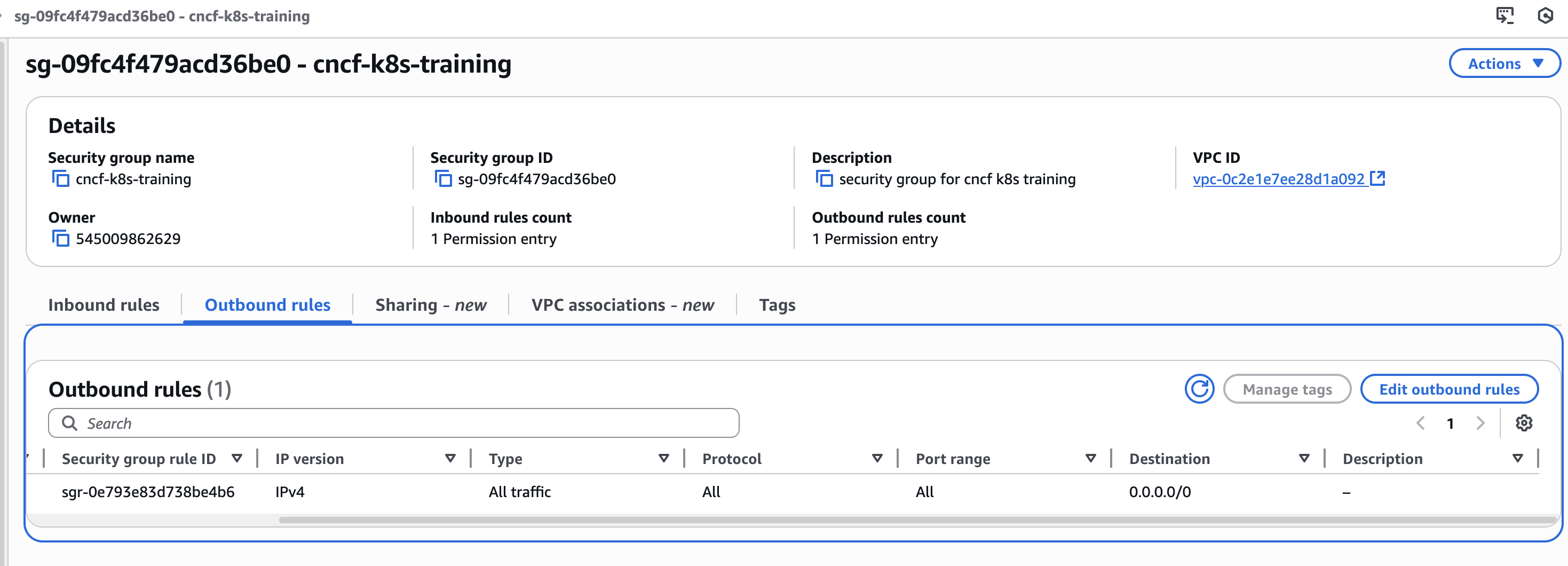
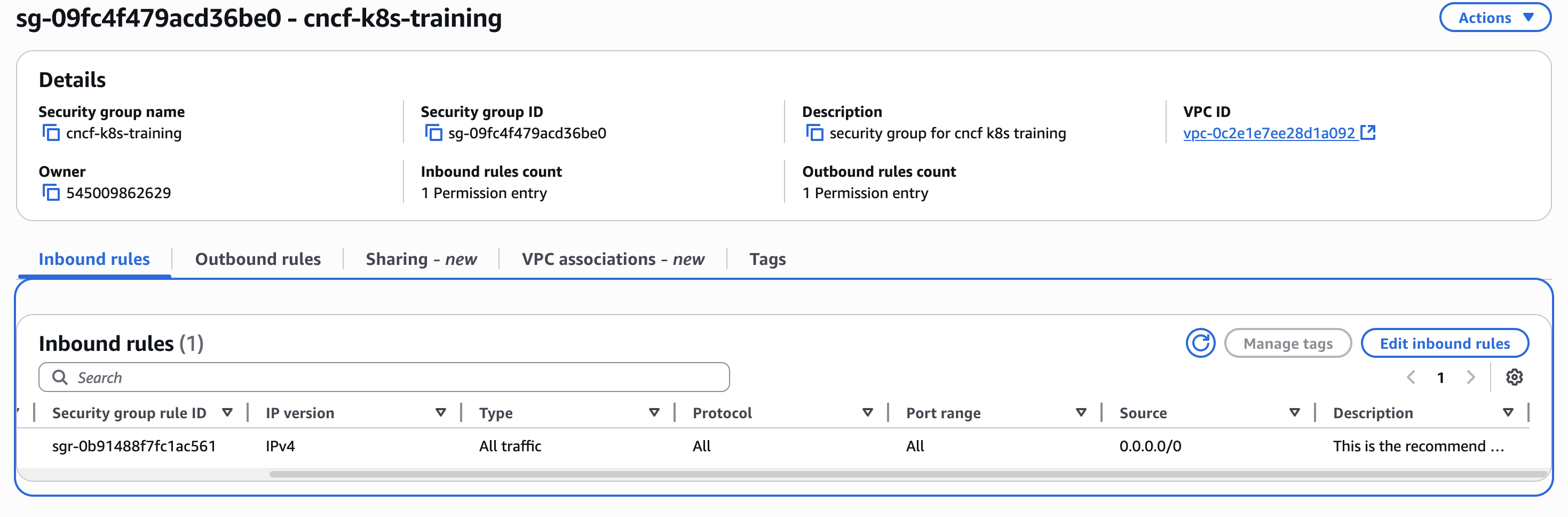
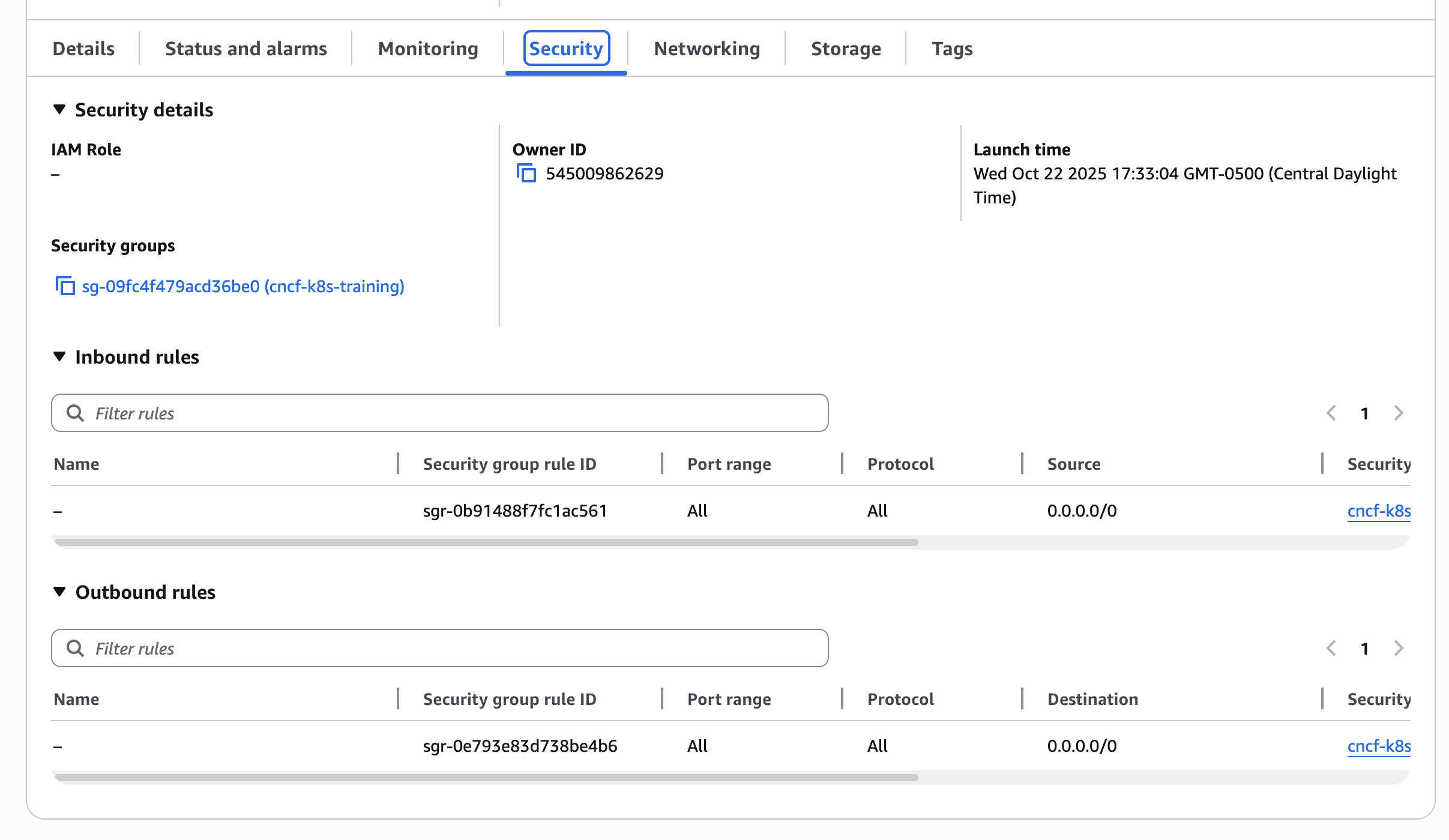
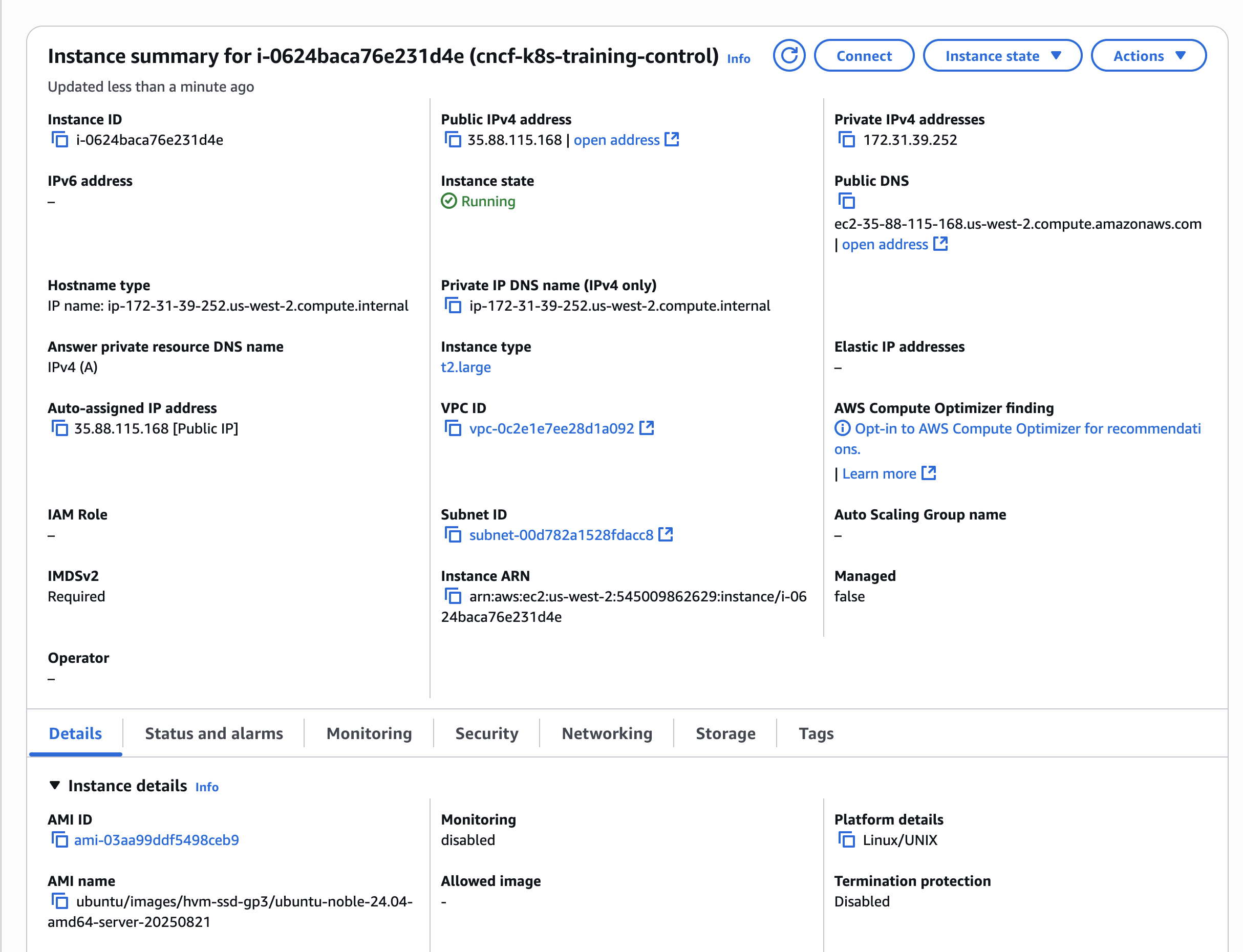
The SG and EC2 config screenshots, requested earlier here, could still be helpful.
Regards,
-Chris0 -
Screenshots as requested.
 0
0 -
Hi @shadyproject,
I attempted to reproduce the behavior reported above, but have been unsuccessful so far.
Your SG appears to have the correct inbound and outbound rules, the EC2 instance is of the recommended type, OS of recommended distribution, release and architecture. All instructions worked successfully, even past step 20.However, I cannot comment on the EC2's storage volume. If the SG is not blocking access to ports, then the symptom could be caused by limited resources.
What is the size of the EC2's volume?
Regards,
-Chris0 -
Both instances have a 20GB volume
 0
0 -
Hi @shadyproject,
What are the entries added to the
hostsfile on the control plane node, when you completed step 18 of lab exercise 3.1?
Have thekubeadm-config.yamland/or thecilium-cni.yamlmanifests altered in any way?
Was the fullkubeadm init ...command executed several times in a row, when completing step 20 of lab exercise 3.1?Regards,
-Chris0 -
Here's the hosts file:
172.31.39.25 k8scp
172.31.39.25 cp
127.0.0.1 localhost

# The following lines are desirable for IPv6 capable hosts
::1 ip6-localhost ip6-loopback
fe00::0 ip6-localnet
ff00::0 ip6-mcastprefix
ff02::1 ip6-allnodes
ff02::2 ip6-allrouters
ff02::3 ip6-allhosts
This happens on the first execution of the
kubeadm init ...commands.
None of the manifests have been altered.0 -
I see that the IP address is incorrect in the host file. I have modifed the hosts file and am re-running
kubeadm init ...after doing akubeadm reset0 -
This looks to have fixed the issue. Thanks for helping me out with finding such a simple mistake on my part.
0 -
I am now getting a different issue, trying to generate the token:
sudo kubeadm token create --print-join-command
gives mefailed to create or update bootstrap token with name bootstrap-token-p2p05k: unable to create Secret: Post "https://k8scp:6443/api/v1/namespaces/kube-system/secrets?timeout=10s": dial tcp 172.31.39.252:6443: connect: connection refused
0 -
Hi @shadyproject,
Ensure your
.kube/configmanifest is updated with latest cluster admin credentials - revisit the postinitsteps.Regards,
-Chris0 -
The kubeconfig is in place as the non-root user, I was also able to execute the cilium setup task.
I had moved on to adding the worker node to the cluster, when this began to happen.
Additionally, I can now no longer run kubectl commands,
kubectl describe nodesreturns aThe connection to the server k8scp:6443 was refused - did you specify the right host or port?error0 -
0
-
Lab 3.2 Section 11
sudo kubeadm token create --print-join-commandwhich producesPost "https://k8scp:6443/api/v1/namespaces/kube-system/secrets?timeout=10s": dial tcp 172.31.39.252:6443: connect: connection refused
I tried using
kubectl describe nodesto get some more information, and this command returnsThe connection to the server k8scp:6443 was refused - did you specify the right host or port?
0 -
Hi @shadyproject,
Since this was posted:
This looks to have fixed the issue.
What is the history of commands and actions performed on the control plane node?
A reset performed on the incorrect node can adversely impact the cluster's integrity. The admin credentials not updated after a new cluster init will prevent any further cluster management actions. Executing commands on the incorrect node will also generate errors.
Regards,
-Chris0 -
Is the suggestion here that I should just terminate the AWS instances and start from scratch then?
0 -
Hi @shadyproject,
Perhaps starting over is not a bad idea. Provisioning a fresh environment may fix issues that could have accidentally found their way in the current setup.
Regards,
-Chris0

Categories
- All Categories
- 177 LFX Mentorship
- 177 LFX Mentorship: Linux Kernel
- 750 Linux Foundation IT Professional Programs
- 373 Cloud Engineer IT Professional Program
- 169 Advanced Cloud Engineer IT Professional Program
- 74 DevOps IT Professional Program - Discontinued
- 4 DevOps & GitOps IT Professional Program
- 99 Cloud Native Developer IT Professional Program
- 7.6K Training Courses & Learning Paths
- 1 AI & ML Training
- 1 Blockchain & Decentralized Identity Training
- 3 Cloud & Containers Training
- 1 Cybersecurity Training
- 2 DevOps & Site-Reliability Training
- 1 Linux Kernel Development Training
- 1 Networking Training
- 1 Open Source Best Practice Training
- 1 System Administration Training
- 1 System Engineering Training
- 1 Web & Application Development Training
- 792 Hardware
- 202 Drivers
- 68 I/O Devices
- 37 Monitors
- 95 Multimedia
- 173 Networking
- 91 Printers & Scanners
- 87 Storage
- 769 Linux Distributions
- 81 Debian
- 68 Fedora
- 22 Linux Mint
- 13 Mageia
- 24 openSUSE
- 150 Red Hat Enterprise
- 31 Slackware
- 13 SUSE Enterprise
- 356 Ubuntu
- 465 Linux System Administration
- 31 Cloud Computing
- 73 Command Line/Scripting
- Github systems admin projects
- 98 Linux Security
- 78 Network Management
- 101 System Management
- 46 Web Management
- 106 Mobile Computing
- 18 Android
- 73 Development
- 1.2K New to Linux
- 1K Getting Started with Linux
- 392 Off Topic
- 121 Introductions
- 181 Small Talk
- 29 Study Material
- 955 Programming and Development
- 310 Kernel Development
- 627 Software Development
- 983 Software
- 375 Applications
- 182 Command Line
- 5 Compiling/Installing
- 68 Games
- 317 Installation
- Archived
- 2 LFD140 Class Forum
Upcoming Training
-
August 20, 2018
Kubernetes Administration (LFS458)
-
August 20, 2018
Linux System Administration (LFS301)
-
August 27, 2018
Open Source Virtualization (LFS462)
-
August 27, 2018
Linux Kernel Debugging and Security (LFD440)